


본 프로젝트는 “스프링부트 3 백엔드 개발자 되기” 서적을 참고하여 진행하였음
회원가입, 로그인 뷰 작성하기
•
뷰 컨트롤러 구현
package com.example.msblog.controller;
import org.springframework.stereotype.Controller;
import org.springframework.web.bind.annotation.GetMapping;
@Controller
public class ViewController {
@GetMapping("/login")
public String login() {
return "login";
}
@GetMapping("/signup")
public String signup() {
return "signup";
}
}
Java
복사
•
뷰 작성 - login.html, signup.html
<!DOCTYPE html>
<html xmlns:th="http://www.thymeleaf.org">
<head>
<meta charset="UTF-8">
<title>로그인</title>
<link rel="stylesheet" href="https://cdn.jsdelivr.net/npm/bootstrap@4.6.1/dist/css/bootstrap.min.css">
<style>
.gradient-custom {
background: linear-gradient(to right, rgba(106, 17, 203, 1), rgba(37, 117, 252, 1))
}
</style>
</head>
<body class="gradient-custom">
<section class="d-flex vh-100">
<div class="container-fluid row justify-content-center align-content-center">
<div class="card bg-dark" style="border-radius: 1rem;">
<div class="card-body p-5 text-center">
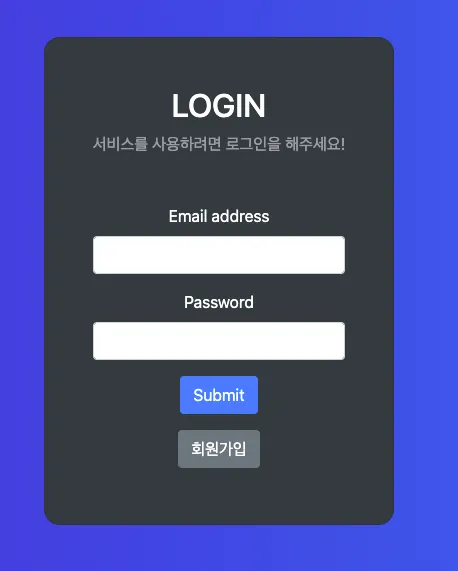
<h2 class="text-white">LOGIN</h2>
<p class="text-white-50 mt-2 mb-5">서비스를 사용하려면 로그인을 해주세요!</p>
<div class = "mb-2">
<form action="/login" method="POST">
<input type="hidden" th:name="${_csrf?.parameterName}" th:value="${_csrf?.token}" />
<div class="mb-3">
<label class="form-label text-white">Email address</label>
<input type="email" class="form-control" name="username">
</div>
<div class="mb-3">
<label class="form-label text-white">Password</label>
<input type="password" class="form-control" name="password">
</div>
<button type="submit" class="btn btn-primary">Submit</button>
</form>
<button type="button" class="btn btn-secondary mt-3" onclick="location.href='/signup'">회원가입</button>
</div>
</div>
</div>
</div>
</section>
</body>
</html>
HTML
복사
<!DOCTYPE html>
<html xmlns:th="http://www.thymeleaf.org">
<head>
<meta charset="UTF-8">
<title>회원 가입</title>
<link rel="stylesheet" href="https://cdn.jsdelivr.net/npm/bootstrap@4.6.1/dist/css/bootstrap.min.css">
<style>
.gradient-custom {
background: linear-gradient(to right, rgba(254, 238, 229, 1), rgba(229, 193, 197, 1))
}
</style>
</head>
<body class="gradient-custom">
<section class="d-flex vh-100">
<div class="container-fluid row justify-content-center align-content-center">
<div class="card bg-dark" style="border-radius: 1rem;">
<div class="card-body p-5 text-center">
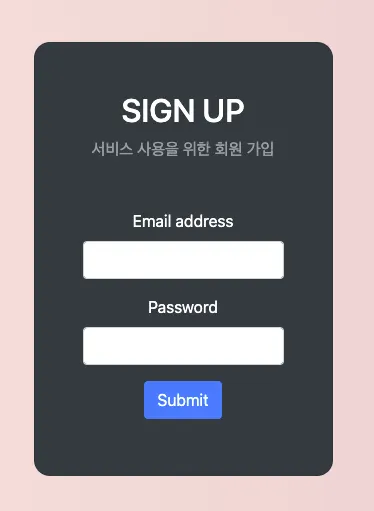
<h2 class="text-white">SIGN UP</h2>
<p class="text-white-50 mt-2 mb-5">서비스 사용을 위한 회원 가입</p>
<div class = "mb-2">
<form th:action="@{/user}" method="POST">
<!-- 토큰을 추가하여 CSRF 공격 방지 -->
<input type="hidden" th:name="${_csrf?.parameterName}" th:value="${_csrf?.token}" />
<div class="mb-3">
<label class="form-label text-white">Email address</label>
<input type="email" class="form-control" name="email">
</div>
<div class="mb-3">
<label class="form-label text-white">Password</label>
<input type="password" class="form-control" name="password">
</div>
<button type="submit" class="btn btn-primary">Submit</button>
</form>
</div>
</div>
</div>
</div>
</section>
</body>
</html>
HTML
복사
로그아웃 메서드 작성
•
UserApiController 수정
// UserApiController.java - logout get 요청 싯 로그아웃 담당 핸들러인 SecurityContextLogoutHandler의 logout() 메서드 호출
@GetMapping("/logout")
public String logout(HttpServletRequest request, HttpServletResponse response) {
new SecurityContextLogoutHandler().logout(request, response,
SecurityContextHolder.getContext().getAuthentication());
return "redirect:/login";
}
Java
복사
•
로그아웃 뷰 추가
<!-- articleList.html -->
<div class="container">
<button type="button" id="create-btn" th:onclick="|location.href='@{/new-article}'|"
class="btn btn-secondary btn-sm mb-3">글 등록</button>
<div class="row-6" th:each="item : ${articles}">
<div class="card">
<div class="card-header" th:text="${item.id}">
</div>
<div class="card-body">
<h5 class="card-title" th:text="${item.title}"></h5>
<p class="card-text" th:text="${item.content}"></p>
<a th:href="@{/articles/{id}(id=${item.id})}" class="btn btn-primary">보러가기</a>
</div>
</div>
<br>
</div>
<button type="button" class="btn btn-secondary" onclick="location.href='/logout'">로그아웃</button>
</div>
HTML
복사
로그인, 회원가입 실행 테스트
•
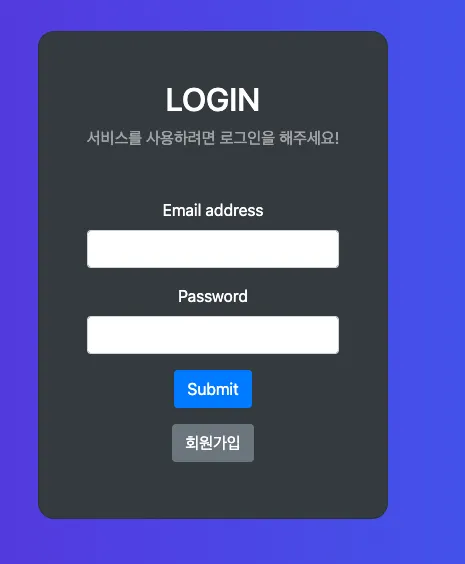
로그인 페이지 (http://localhost:8080/articles)
•
회원가입 진행 (http://localhost:8080/signup)
•
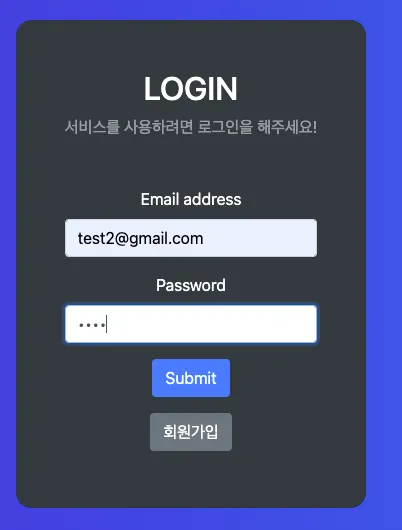
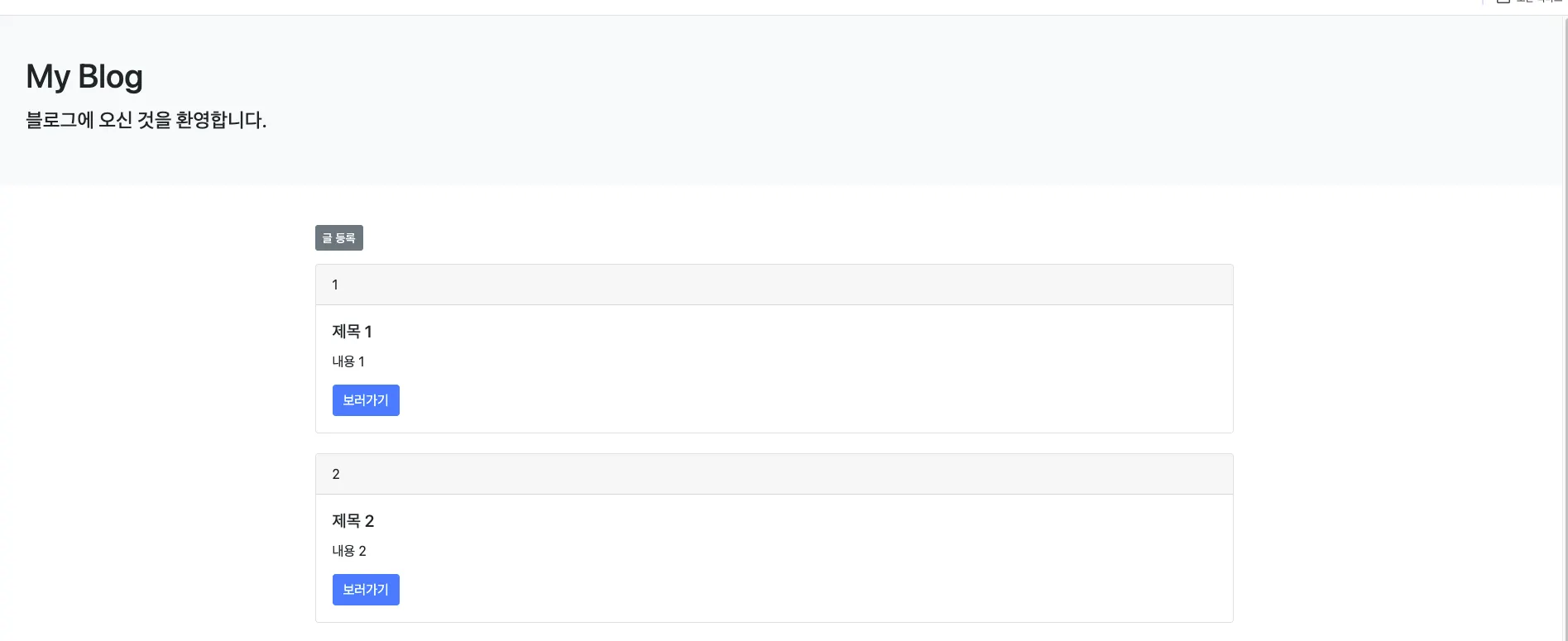
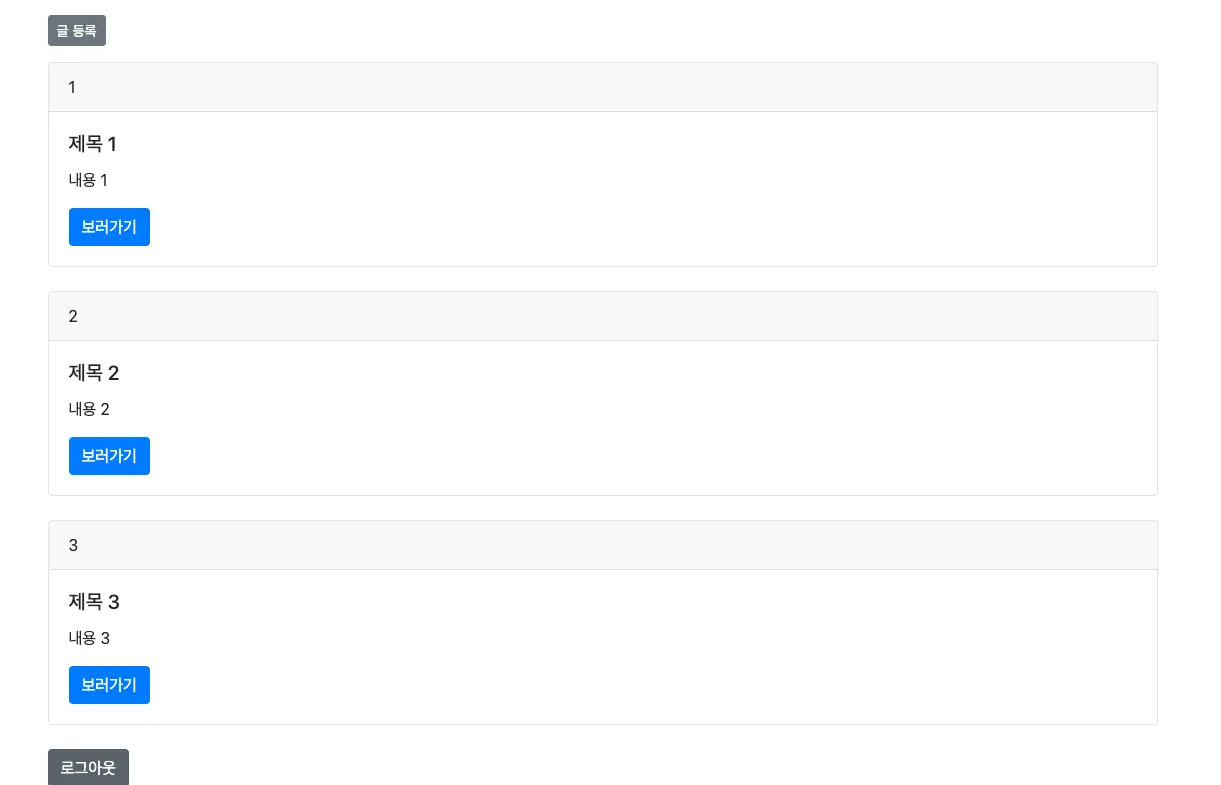
회원가입 후 로그인 페이지로 이동, 로그인 성공하면 글 목록 페이지로 이동
•
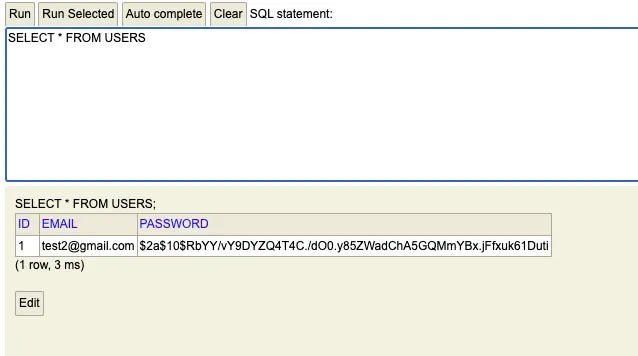
회원 가입 데이터 DB에서 확인
•
로그아웃 테스트 실행 - 로그아웃 완료되면 로그인 페이지로 이동
정리:
1.
인증은 보호된 리소스에 접근하는 것을 허용하기 이전에 등록된 사용자의 신원을 입증하는 과정이다.
2.
인가는 특정 부분에 접근할 수 있는지 확인하는 작업이다.
3.
스프링 시큐리티는 스프링 기반의 애플리케이션 보안(인증, 인가, 권한)을 담당하는 스프링 하위 프레임워크이다. 스프링 시큐리티는 필터 기반으로 동작하며 각 필터에 인증, 인가와 관련된 작업을 처리한다.
기본적으로 세션 & 쿠키 방식으로 인증을 처리한다.
a.
스프링 시큐리티에서 사용자의 인증, 인가 정보를 UserDetail 객체에 담는다. 이 클래스를 상속받은 뒤 메서드를 오버라이드하여 사용하면 된다.
b.
스프링 시큐리티에서 사용자의 정보를 가져오는 데 사용하는 UserDetailService를 사용한다. 이 클래스를 상속받은 뒤 loadUserByUsername()을 오버라이드하면 스프링 시큐리티에서 사용자의 정보를 가져올 때 오버라이드된 메서드를 사용한다.